


Your Essential Website Security Checklist for Business Growth
In the digital age, your website is more than just an online brochure; it’s your virtual storefront, primary marketing engine, and a direct line to your customers. However, with this increased importance comes increased risk. For small and medium-sized businesses, a single security breach can be devastating, leading to data loss, reputational damage, and significant financial costs. Proactively managing your site’s defenses is not just an IT task—it’s a fundamental business strategy. This is where a comprehensive website security checklist becomes an invaluable tool, transforming a daunting challenge into a manageable process.
By systematically addressing key areas of vulnerability, you can build a robust defense that protects your digital assets, secures customer data, and fosters the trust necessary for sustainable growth. This guide will walk you through the essential steps to fortify your online presence.
Foundational Security Measures
The strength of your website’s security begins with its foundation. These core components are non-negotiable for any business operating online.
Choose Secure Hosting
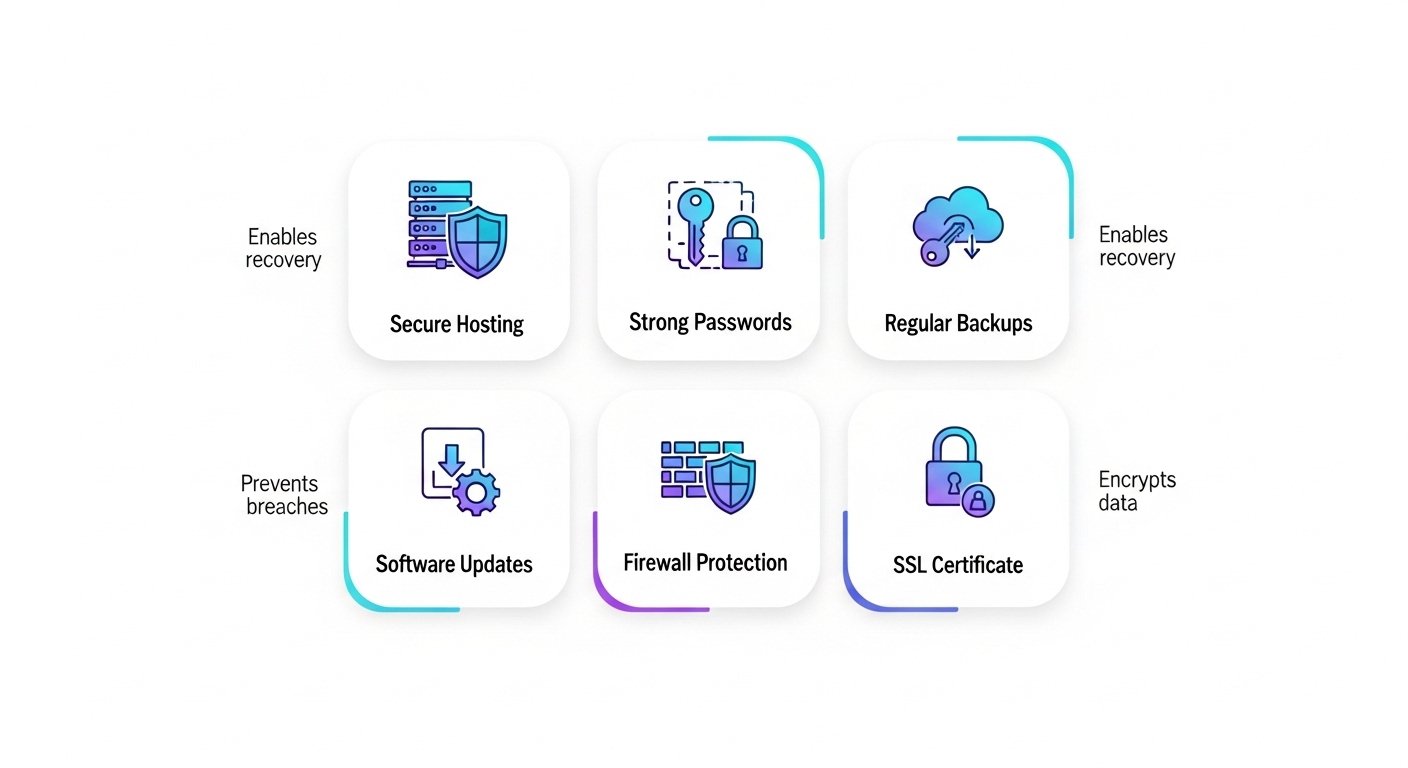
Not all web hosting is created equal. While budget hosting can be tempting, it often lacks the robust security infrastructure needed to fend off modern threats. Opt for a reputable hosting provider that offers managed security features like server-level firewalls, malware scanning, and proactive monitoring. A secure host is your first line of defense.
Implement an SSL/TLS Certificate
An SSL/TLS certificate encrypts the data transmitted between your website and its visitors, signified by the padlock icon and « https:// » in the browser bar. This is crucial for protecting sensitive information like login credentials and payment details. Search engines also favor secure sites, making SSL essential for both security and SEO. Reputable certificate authorities like Let’s Encrypt offer free, automated certificates, leaving no excuse for an unsecured site.
Deploy a Web Application Firewall (WAF)
A WAF acts as a protective filter between your website and incoming traffic. It analyzes requests and blocks malicious activity, such as SQL injection and cross-site scripting, before it can reach your server. Many modern hosting providers and security services offer WAF solutions that can significantly reduce your site’s exposure to common attacks.
Access Control and User Management
Controlling who can access your website’s backend—and what they can do there—is critical. Weak access controls are a common entry point for attackers.
Enforce Strong Password Policies and 2FA
Move beyond simply asking for « strong » passwords. Implement policies that require a mix of character types, a minimum length, and regular rotation. Most importantly, enable Two-Factor Authentication (2FA) for all user accounts. 2FA requires a second form of verification (like a code from a mobile app), providing a powerful barrier against unauthorized logins even if a password is stolen.
Apply the Principle of Least Privilege
Grant users only the minimum level of access necessary to perform their jobs. An intern writing blog posts does not need administrator privileges that allow them to install plugins or change core settings. Content management systems like WordPress have built-in user roles to facilitate this. Carefully assigning these roles minimizes the potential damage from a compromised account.
| User Role | Typical Permissions | Security Consideration |
|---|---|---|
| Administrator | Full site control, including themes, plugins, and users. | Restrict to 1-2 trusted individuals. The most high-risk role. |
| Editor | Publish and manage posts, including those by other users. | For content managers who need to oversee all publications. |
| Author | Publish and manage their own posts. | Ideal for regular content creators on your team. |
| Contributor | Write and manage their own posts but cannot publish them. | Safest role for guest writers or new team members. |
Software and Application Integrity
Outdated software is one of the most common vulnerabilities exploited by hackers. Maintaining the integrity of your site’s codebase is an ongoing responsibility.
Commit to Regular Updates
Your website’s core software (e.g., WordPress), plugins, and themes receive regular updates that often include critical security patches. Neglecting these updates is like leaving your front door unlocked. Schedule a regular time to review and apply all pending updates. For platforms like WordPress, consider resources like the official Hardening WordPress guide for advanced protection.
Use Vetted Software Sources
The allure of free or « nulled » premium plugins and themes can be strong, but they are often bundled with malware. Only download and install software from official repositories and reputable developers. The small cost of a premium plugin is insignificant compared to the cost of cleaning up a hacked website.
Data Protection and Recovery Strategies
Even with the best defenses, you must prepare for the worst-case scenario. A solid data protection and recovery plan ensures your business can bounce back quickly from any incident.
Maintain Automated, Off-Site Backups
A reliable backup is your ultimate safety net. Your backup strategy should be automated, frequent (daily, for active sites), and stored off-site in a separate, secure location (like a cloud storage service). This ensures that if your server is compromised, your backups remain safe and accessible.
Regularly Test Your Restore Process
A backup is only valuable if it works. Periodically test your ability to restore your website from a backup to a staging environment. This practice ensures your recovery plan is effective and helps you identify any issues before a real crisis occurs.
Continuous Monitoring and Incident Response
Security is not a « set it and forget it » task. Continuous vigilance is required to detect threats and respond effectively.
Implement Security Auditing and Monitoring
Use security plugins or services that provide activity logging, file integrity scanning, and malware detection. These tools can alert you to suspicious behavior, such as failed login attempts, unauthorized file changes, or the presence of malicious code. Understanding common web threats, like those listed in the OWASP Top Ten, helps you know what to look for.
Develop an Incident Response Plan
What will you do the moment you discover a breach? An incident response plan outlines the exact steps to take, including who to contact, how to isolate the site, how to restore from a backup, and how to communicate with affected customers. Having this plan ready can dramatically reduce panic and minimize damage. For guidance on creating formal security plans, government resources like the NIST Introduction to Computer Security can be highly informative.
Frequently Asked Questions About Website Security
How often should I review my website security checklist?
A full review should be conducted quarterly. However, some tasks, like software updates and backup checks, should be performed weekly or even daily, depending on your site’s complexity and traffic.
Is an SSL certificate enough to secure my website?
No. An SSL certificate is essential for encrypting data in transit, but it does not protect your site from other vulnerabilities like outdated software, weak passwords, or malware infections. It is just one piece of a much larger security puzzle.
What is the biggest security mistake small businesses make?
The most common mistake is the « it won’t happen to me » mindset. Many small business owners assume they are too small to be a target, leading them to neglect basic security practices like regular updates and strong passwords, which makes them easy targets for automated attacks.
Can I handle website security myself, or do I need a professional?
While you can handle many basic tasks yourself using this checklist, comprehensive security requires expertise and constant vigilance. As your business grows, partnering with a professional service frees you to focus on your core operations while ensuring your digital assets are protected by experts.
Implementing a robust website security checklist is a critical investment in your business’s future. It protects your revenue, reputation, and customer relationships. While the process requires diligence, the peace of mind it provides is invaluable. If managing the complexities of website security feels overwhelming, you don’t have to do it alone. At Digimek, we provide professional security and maintenance services to keep your digital presence safe and performing at its best. Contact us today to learn how we can help you build a more secure online business.
